Posts

Showing posts with the label Photoshop Institute in Jalandhar

Photoshop Coaching in Jalandhar
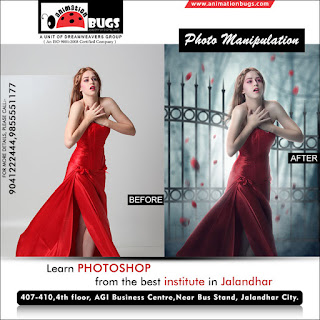
Image
6 Important Steps for Learning Photoshop Most people want to do special effects with Photoshop but like all tools capable of advanced work, it pays to get the essential basics under your belt first. Here is my recommended list of the 6 basic essentials any Photoshop beginner should learn: 1. Learn the image analysis tools – The Histogram, The Eyedropper, and The Info Palette These three tools provide you with essential information about your image or photograph. The Histogram will tell you everything you need to know about the exposure of the photograph, whether it is under or over exposed, and the tonal range. The Eyedropper tool will give you valuable information about the colours in the image; especially if there is a colour cast (a colour cast is an undesirable overall dominant colour) you need to correct. The Info palette (or window) will provide numerical feedback when using the eyedropper and also when using other tools. This is an important reference for advanced wo...

No.1 Institute for Adobe Photoshop in Jalandhar

Image
Move Tool This is the first basic tool in Adobe Photoshop used to select and move the objects. You can hold the shift key and drag the object to move it in vertical/horizontal position. Rectangular Marquee Tool This tool is used to make selection on the images. You can also make rectangular shape by using this tool. To make a perfect square, hold the shift key while dragging the selection to make a perfect square. Elliptical Marquee Tool This tool is used to make selection on the images. You can also make a circular shape by using this tool. To make a perfect circle, hold the shift key while dragging the selection to make a perfect circle. Polygon Lasso Tool This tool is used to make the selection of our own choice. To close the selection, close the beginning point with the ending point. Magic Wand Tool This tool is used to quickly make the selection of selective colour only. It works on the colour range. The selective colour will be selected when you cl...