Posts

Showing posts with the label Photoshop Training in Jalandhar

Best Coaching Centre for Photoshop in Jalandhar
Image
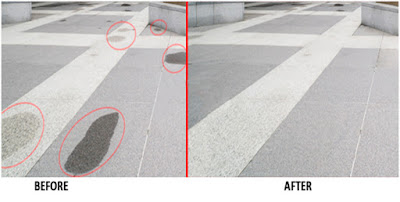
HOW TO RETOUCH & REPAIR PHOTOS PATCH TOOL:- Patch tool is mostly used to remove the unwanted areas from the image. It will replace the selected area with the chosen area. You can also use this tool for duplication. SPOT HEALING BRUSH TOOL:- The Spot Healing Brush Tool quickly removes marks and other imperfections in the photos. The spot healing brush paints with sampled pixels from an image or pattern and matches the texture, lighting, transparency, and shading of the sampled pixels to the pixels being healed. The spot healing brush automatically takes samples from around the retouched area. THE RED-EYE TOOL:- Red eye happens when you take a photo in low light using a flash that's very close to the camera lens.This is especially common on smartphone and cameras when the light from the flash hits the subject's eyes, it enters through the pupil and reflected by the blood vessels at the back.This is what makes their pupils appear to glow red. Phot...

No.1 Institute for Adobe Photoshop in Jalandhar

Image
ANIMATION BUGS Basic Tools used in Adobe Photoshop Photoshop Tool Basics Rectangular Marquee Tool Use this tool to make selections on your image, in a rectangular shape. This changes the area of your image that is affected by other tools or actions to be of the defined shape. Holding the [Shift] key while dragging your selection, restricts the shape to a perfect square. Holding the [Alt] key while dragging sets the center of the rectangle to where your cursor started. Move Tool Use this tool to move things. Usually, you use it to move a Layer around after it has been placed. Hold the [Shift] key to limit the movements to vertical/horizontal. Magic Wand Tool Use this to select a color range. It will select the block of color, or transparency, based on wherever you click. In the Options Bar at the top, you can change the Tolerance to make your selections more/less precise. Polygon Lasso Tool Use this to draw selections in whatever shape you would like. To ...